Showing posts with label Configuration Manager. Show all posts

Thursday, 31 January 2019

The remote procedure call failed. [0x800706be]


Good day everyone and welcome to (or welcome back to) SQL Something!

Firstly, HAPPY 2019! I wish all my visitors the best for the coming year. May you all find your own special brand of success and happiness. 😊

Alright let’s get into it. I recently redid my PC and I had to re-install my various SQL instances as well as a couple variations of Visual Studio. Sometime after all of that was done, I opened SQL Server 2017 Configuration Manager and saw the following:

The remote procedure call failed. [0x800706be]
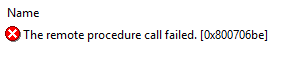
Woe is me...

Monday, 16 December 2013

Mini Post: SQL Server Configuration Manager "The Request Failed..." Error

Happy Holidays! And here is a Mini Post for you!

It's a simple error to run into. You open SQL Server Configuration Manager to start a service and this pops up: The request failed or the service did not respond in a timely fashion.

Fig. 1: Failure...


Hmmm.

Monday, 30 September 2013

Mini Post: Remote Procedure Call Failed. [0x800706be] (SQL Server 2008 / 2008 R2)

Hey everyone! Yes, it's Mini Post time.

After you have installed SQL Server 2008 or 2008 R2 (on possibly a Windows 7 or 8 machine) and you attempt to go into the Configuration Manager you may see the following:

Fig. 1: The error in question.

This seems to be a bug that a few people run into (including myself recently). The solution(s) are as follows:

SQL Server 2008

  • Upgrade to Service Pack 3. Found here (worked for me!).
  • If the above does not work, use the steps to recreate the WMI Repository found here.

SQL Server 2008 R2

  • Upgrade to Service Pack 1 or 2. Found here and here respectively. 
  • If the above does not work, use the steps to recreate the WMI Repository found here.

If anyone knows the exact cause of this bug, please feel free to share in the comments below. It will benefit everyone. :-)


DISCLAIMER: As stated, I’m not an expert so please, PLEASE (by all means!) feel free to politely correct or comment as you see fit. Your feedback is always welcomed. :-)